Limited-time offerOffer ends in00d00h00m00sClaim now →
07 Module 07 / 10 · Popups

GoHighLevel popup templates for the moments your programme can’t afford to miss

Cohort launches, live trainings, renewals and feedback checks. Brand popups yourself from 43 templates in a live editor and show them inside GoHighLevel, where your clients log in, and on the websites and funnels where prospects decide.

Open the templates
  • Centered modalCentre of the screen, for the one thing that matters today
  • Slide-inEases in from a corner without stopping the reader
  • Top / bottom barA thin strip across the top or bottom
  • Full-screenTakes over the screen for a launch moment
  • Side drawerSlides in from the side with more room for detail
  • ToastA small, short-lived note
  • Social proofA proof-style card in the corner
Short answer

These are 43 ready-made popup templates in 7 types that run inside GoHighLevel and on your website or funnels. You pick the right ones for your launches, live calls, renewals and feedback, brand them and set triggers in a live editor, with up to 15 live at once. Included in Mastery ($1,047 one-time, lifetime access).

Two audiences, one style

Popups inside GoHighLevel and on your website

Most popup tools only cover your website. This one also speaks to the people already inside your account.

Inside GoHighLevel · 18 templates

For clients and team members who log in

Announce the next live call, a new resource or a renewal window to anyone opening your account. For agencies, every coaching client sub-account can show its own messages. Delivered by the loader script, with no extra code.

On your website · 25 templates

For prospects on your sales pages

Launch announcements, exit-intent offers and booking prompts on your coaching site or GoHighLevel funnels, in the same look as your portal. One line of HTML, added once.

Live preview

Open a popup template

It starts on the live training template inside GoHighLevel. Switch to "On your website" for launch and lead-magnet styles. Buttons and close links work.

Try it live

Loading the live preview…

Live training / webinar real templates, drawn by the same popup engine that runs inside GoHighLevel and on websites. Buttons and close links work.

Coaching use cases

Six popups that earn their interruption

A popup is worth showing when it saves someone a search or an email. These are the most useful ones for coaches, group programmes and masterminds.

Cohort launch · Website

Doors open for the next cohort

A full-screen or modal popup on your sales page with the start date and an application button, shown once per visitor.

Live training · Inside GHL

This week’s live call

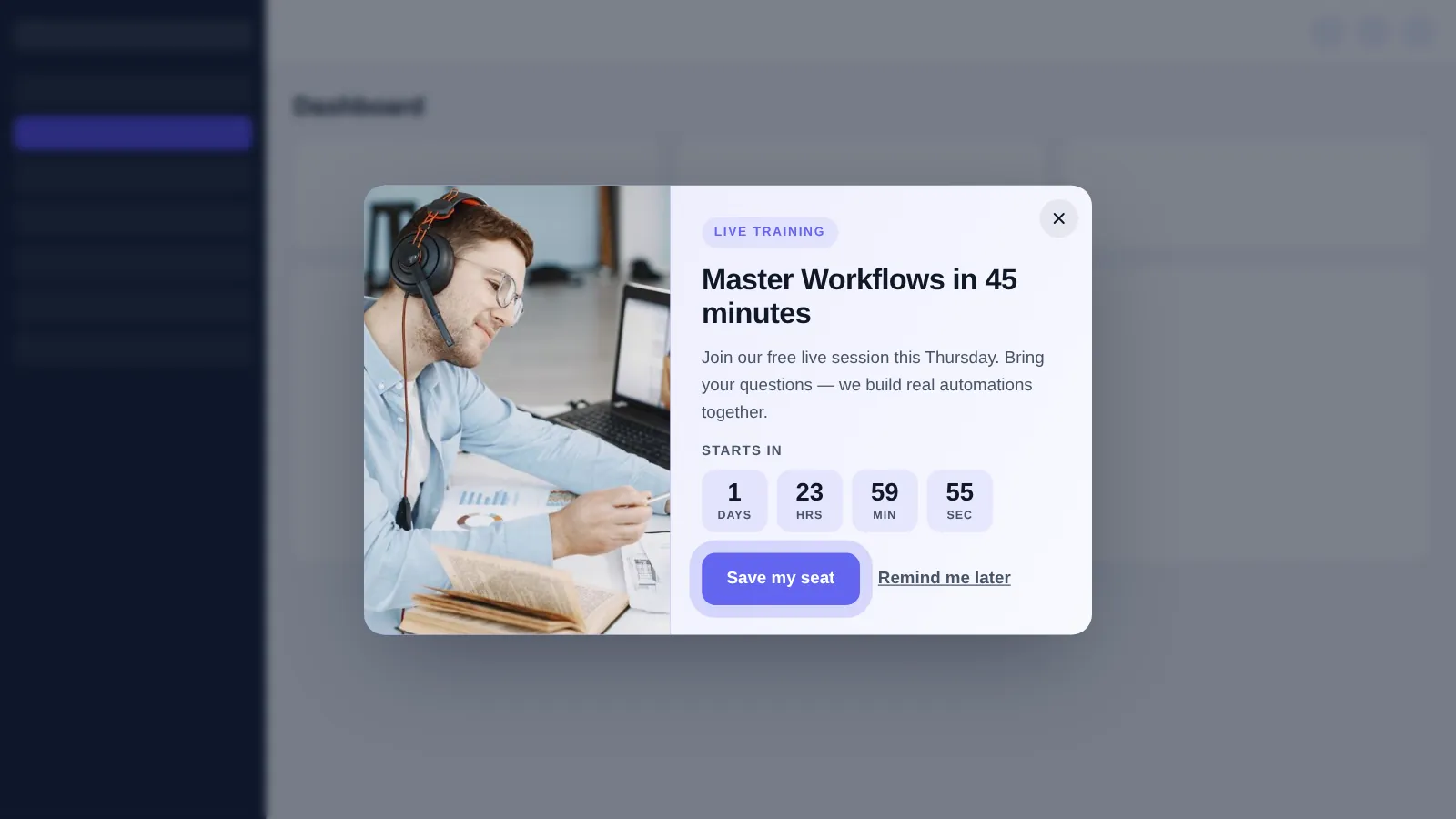
The live training template reminds clients and team members who log in about the next session, with a link to register.

Renewal · Inside GHL

Programme renewal reminder

A slide-in for members whose programme ends soon, pointing to the renewal call booking page instead of a cold email.

Feedback · Inside GHL

Two-question pulse check

A short feedback popup after a milestone, so you hear about friction before it becomes a refund request.

Lead magnet · Website

Exit-intent workbook offer

Offer your scorecard or workbook to visitors about to leave a blog post, then let your nurture sequence take over.

Announcement · Inside GHL

New feature or resource

Tell clients in their sub-accounts about a new template, course module or office-hours slot without another email.

Running launches for a group coaching programme? Popups pair well with the launch sequences in the snapshot.

Live training webinar popup shown inside GoHighLevel with a headline, date and register button
The live training popup template, shown to your team or clients inside GoHighLevel.
Why bother

Emails get buried. A well-timed popup gets seen.

Your clients already open GoHighLevel to check messages and bookings. Meeting them there with the right reminder is calmer than another email in a crowded inbox.

Today

  • Live call links lost in email threads
  • Renewals chased one message at a time
  • Website popups that look nothing like the programme

With branded popups

  • The next session shown where clients already are
  • A renewal prompt at the right point in the programme
  • One visual style from sales page to portal
How it works

From the right moments to live popups

  1. Choose a package and pay

    Popups are in Mastery: one-time payment, lifetime access, up to 15 popups live at once.

  2. Get your login by email

    Your customizer login arrives within minutes (max 24 hours). Pick the two to four moments worth interrupting someone for: a launch, a live call, a renewal, a feedback check.

  3. Brand templates in the live editor

    Start from the 43 templates, set your colours, fonts and copy, choose the type that suits each moment and add rules: which pages or GoHighLevel areas, after how long, and how often.

  4. Paste one line into GoHighLevel

    In-app popups run from the line you paste into Agency Settings → Company → White Label → Custom JS (about 2 minutes); website popups get one line of HTML on your site or funnel. Changes go live instantly after that.

Honest note: popups support your follow-up, they do not replace it. Keep your email and SMS sequences; the coaching snapshot includes them if you are starting from scratch.

Packages

Popups are part of the top stage

Mastery adds popups, notifications, calculators, floating widgets and editor white-labelling to everything below it. Full comparison.

Questions

GoHighLevel popup questions

Where popups run, how they are installed and how to keep them from annoying anyone.

In two places: inside GoHighLevel itself, for the people who log into your account, and on websites or funnels, for visitors. The library has 18 templates made for inside GoHighLevel and 25 for websites.

There are 43 templates across 7 types: centered modal, slide-in, top / bottom bar, full-screen, side drawer, toast, social proof. Use them as starting points and brand each one for your programme in the editor.

No. They are delivered by the same loader script that runs your theme and menus, so once the theme is installed there is nothing more to paste for in-app popups.

With one line of HTML added to your GoHighLevel funnel or website, once. After that you can change or add popups from the customizer without touching the page again.

Only if there are too many. Frequency limits and targeting mean each person can see a popup once, at a relevant moment. Two to four popups in total usually beats one for everything.

Popups can be targeted by page, by area of GoHighLevel and by timing and frequency rules. For audience-specific messages, such as one cohort only, pair targeting with the pages or sub-accounts that cohort uses.

Popups are part of Mastery, at $1,047 one-time with lifetime access, with up to 15 live at once, alongside notifications, calculators and floating widgets.

Yes. You edit everything yourself in the customizer, any time, and changes go live on the next page load without re-installing anything. Help docs and support are there if you get stuck.

Not on its own. A popup is seen when someone next opens GoHighLevel or your site. For anything time-critical, keep your email and SMS workflows and use the popup as a visible reminder.

Module 07 · Popups

Show the right message at the right point in the programme

Popups come with Mastery, together with social proof, calculators and floating widgets. Login within minutes (max 24 hours), one line to install, lifetime access.

Compare packages

One-time payment · lifetime access · login emailed within minutes (max 24 hours) · secure checkout by Stripe

GoHighLevel and HighLevel are trademarks of HighLevel, Inc. GHL Business Coaching Snapshot is an independent product team and is not affiliated with or endorsed by HighLevel, Inc. The customizer platform is run by GHL Customer Care.

GHL Branding Customizer · lifetime account

Get your customizer account

Choose your stage
One-time, lifetime accessMomentum · $547

Secure card payment by Stripe. We never see your card details. Your login is emailed to this address within minutes (max 24 hours). We never ask for your GoHighLevel password.

Book DemoGet Snapshot