
11 templates
Social links
Instagram, LinkedIn, YouTube and podcast links behind one button, so your content does the nurturing.

10 Module 10 / 10 · floating widgets
Prospects read your articles, watch your videos and scroll your sales page. A floating widget waits in the corner the whole time, with the next step ready: book, message, follow. You build it in your brand in a live editor and add it to your site and funnels with one line.
A GHL floating widget is a corner button on your website or funnel that opens contact options, social links, a form, reviews, a video or an embedded booking page. There are 51 templates in 7 types; you choose one that serves your main action, brand it in a live editor and install it with one line of code.
Template counts come straight from the customizer catalogue. The coaching line is how each one fits a coaching site.
11 templates
Instagram, LinkedIn, YouTube and podcast links behind one button, so your content does the nurturing.
13 templates
Book a discovery call, WhatsApp, email or live chat in one menu, wherever a prospect is on the page.
7 templates
A short “tell me about your business” form that lands in GoHighLevel as a tagged contact.
6 templates
Client review cards, or your own review widget, a tap away on every page.
4 templates
Your booking calendar or application page in a panel, without leaving the article.
5 templates
A round video bubble with a 40-second hello from the coach.
5 templates
Chat, social, form, reviews and video in one launcher with tabs.
6 shapes · 8 openings
Circle, Rounded square, Pill with label, Tab on the page edge, Avatar bubble, Video bubble. Opening as fan / arc, vertical stack, speed dial, radial burst, horizontal row, slide-up card, side drawer, centred modal.
Targeting means the corner button can change with the page. This is a sensible set-up for a typical coaching site, whether you run 1:1 work, a group programme or a mastermind.
Pick a type and a template, show it on a website or inside GoHighLevel, open or closed. Click the launcher inside the preview to try it.
Loading the live preview…
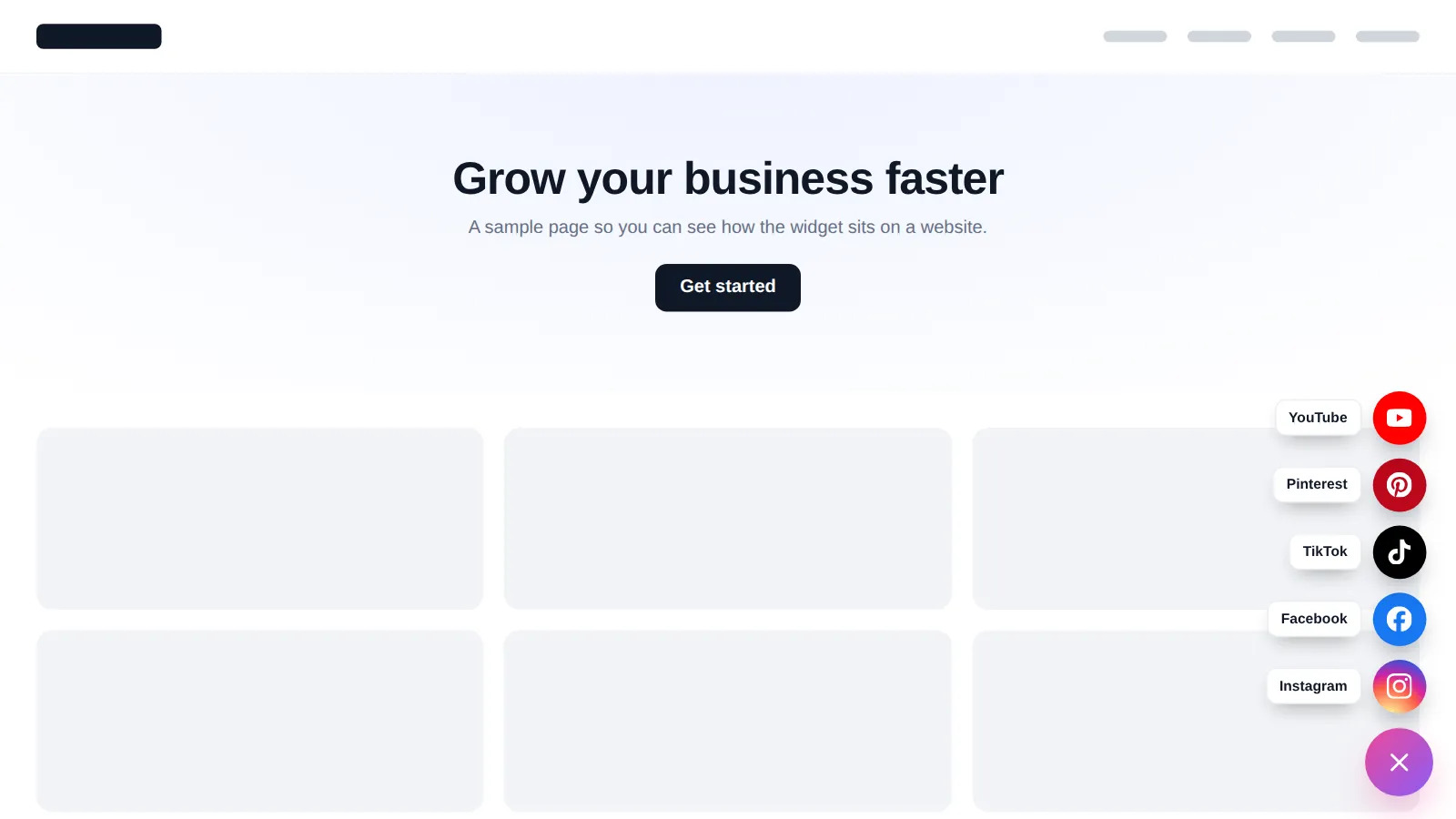
Social speed dial every chip is a real template, drawn by the engine that runs on your site. Click the launcher inside the preview to close and reopen it.
Floating widgets are part of the Mastery account: one-time payment, lifetime access, no monthly fee.
Your login arrives within minutes (max 24 hours). Decide the one main action for your corner button first: book a call, ask a question or follow. Design around that, not around every channel you have.
Choose a type, one of 6 launcher shapes and 8 opening styles, connect your booking link, WhatsApp, email and up to 34 social networks, and set business hours, pages and devices. Form leads can go straight to GoHighLevel.
Paste the embed line into your website or GoHighLevel funnel in about 2 minutes. Pause or change the widget any time; edits go live instantly.
Not got a site yet? See our coaching website service, then add the widget yourself.
They are part of the website layer, with popups, notifications and calculators. Full comparison on the pricing page.
Stage 1
$247one-time
Brand the whole app and the login page yourself: every theme, UI kit, dark mode and all 16 login designs.
floating widgets is not in Clarity
Best for: Solo coaches and new practices who want a branded app and login page.
Stage 2
$547one-time
Clarity plus the daily workspace: mega and floating menus, dashboard and pipeline designers, and the contact actions bar.
floating widgets is not in Momentum
Best for: Group programmes, masterminds and agencies who hand GoHighLevel to coaching clients.
Stage 3
$1,047one-time
Everything: popups, social proof, calculators and floating widgets on top of Momentum, plus white-label branding of the editor.
Includes floating widgets
Best for: High-ticket programmes, mastermind operators and coaching agencies selling a branded platform.
One-time prices in USD, lifetime access, no monthly fee. Compare every module, stage by stage
See everything on the GHL Branding Customizer overview, or go straight to:
What coaches ask before adding a corner button.
It is a button that stays in a corner of your website or GoHighLevel funnel and opens a menu or panel: contact options, social links, a form, reviews, a video or an embedded page. The customizer has 51 templates across 7 types, and you build the one that fits your site in a live editor.
For most coaches, yes, because it offers choices. Some prospects want to book straight away, others want to send a WhatsApp message first. A contact hub puts booking, chat and email in one place, and you can still include live chat as one of the options.
It does not have to. Either fold your chat into the contact hub or put the two in different corners with different jobs, and check both on mobile, where space is tight.
It is a single round button that fans out into your social profiles when tapped. It keeps Instagram, LinkedIn, YouTube and podcast links available without filling your footer or header.
Yes. Business hours can hide live channels, such as chat or phone, when nobody is there to answer, while booking and email stay visible.
It is a small script that loads after your page content, so the page itself renders first. It is worth checking the page on your phone after you paste the line.
Yes. The embed type opens any URL, such as your GoHighLevel calendar or application form, in a panel, drawer or modal. Pair it with the appointment automation so the booking is followed up automatically.
Mastery, at $1,047 one-time with lifetime access. Floating widgets belong to the website layer with popups, notifications and calculators. See pricing.
Up to 10 live at once on the Mastery account. Form widgets can send each lead straight into GoHighLevel as a contact, so your follow-up workflows start on their own.
Your login is emailed within minutes (max 24 hours). Building the widget in the editor takes as long as you like, and pasting the line takes about 2 minutes. Help docs and support are there if you get stuck.
Yes. The same engine can show a widget inside the GoHighLevel app, for example a help menu for your team or coaching clients. Try the “Inside GoHighLevel” page option in the preview.
GoHighLevel and HighLevel are trademarks of HighLevel, Inc. GHL Business Coaching Snapshot is an independent product team and is not affiliated with or endorsed by HighLevel, Inc. The customizer platform is run by GHL Customer Care.
Manage how we use cookies. Necessary cookies keep the site working and can't be turned off.
Saved on this device. Press Esc to close.