
"Who am I talking to today?"
Booked calls and new applications up top, with a quick link to the calendar. Everything else is one scroll away. Pairs with the discovery-call automations in the coaching snapshot.

04 Module 04 / 10 · Dashboards
Monday morning. Your assistant signs in, coffee in hand, and the first thing they see sets the tone for the week. On a stock account that is a grid of grey widgets. With the dashboard designer you turn it into one that greets them in your brand and points straight at today's calls and new applications.
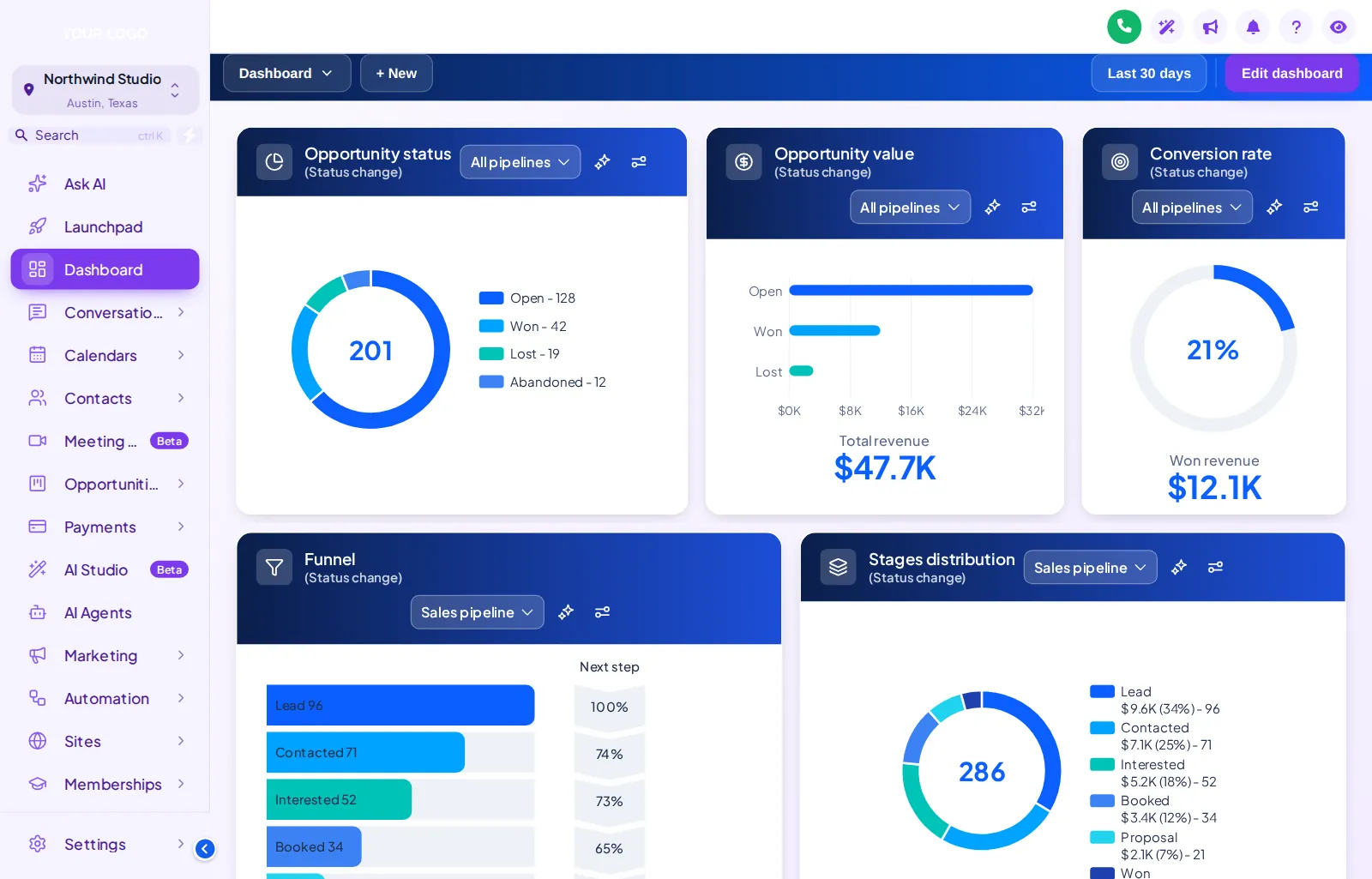
GoHighLevel dashboard design restyles the sub-account dashboard with a header band, card style, welcome banner, live clock, quick links and chart colours, without changing your widgets or data. You pick one of 18 designs in the editor, tune it to your brand and install it with one line of code.
A dashboard is only useful if it answers the first question of the morning. That question depends on the practice.
Booked calls and new applications up top, with a quick link to the calendar. Everything else is one scroll away. Pairs with the discovery-call automations in the coaching snapshot.
Quick links to unanswered conversations, check-ins due and no-shows to rebook. The welcome banner carries this week's priority so nobody has to ask.
Enrolment and payment stats in your colours, with links to the cohort's membership and community. Useful during launch week of a group programme.
Every coach you host opens the same designed dashboard with their own data in it, which makes your white-label account feel like a product rather than a login.
It opens on Ocean Pro. Filter by light, dark or photo, then pick a design. The clock is live, and the quick links and chart colours are part of each design. Change the sidebar theme to see how dashboard and menu work together.
Loading the live preview…
Ocean Pro every chip is a real dashboard template applied to a copy of the GoHighLevel dashboard. The clock is live; the quick links and chart colours are part of the design.
The stock dashboard is built to show everything a GoHighLevel account can measure. A coaching team needs it to show the three things that matter this week, in a way that feels like their workplace. The data is the same; the experience is not.
Many coaches do their admin after the last client call. 3 of the dashboard designs are dark, with surfaces and chart colours chosen for low light. Dark mode for the whole account, sidebar and every page included, is in every package. See the themes and dark mode module.
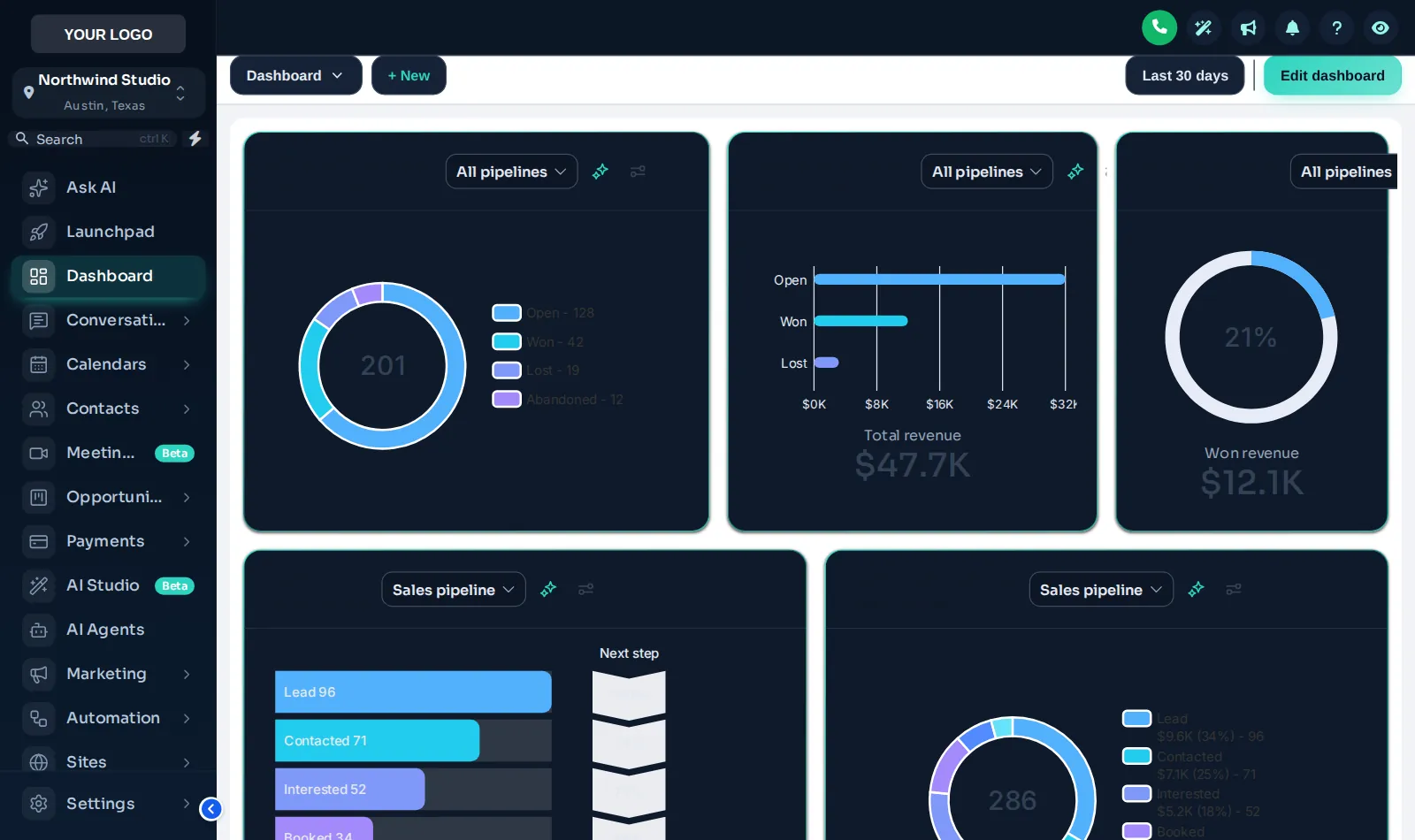
You build the dashboard yourself in the live editor of your GHL Branding Customizer account, with a preview of every change, and adjust it whenever the programme does.
The dashboard designer comes with Momentum and above. Pay once by card; there is no monthly fee.
Your customizer account login arrives by email within minutes (max 24 hours). Sign in and set your own password.
Pick one of 18 designs (light, dark or photo), write a welcome banner in your voice, add quick links such as Today's calls and Check-ins due, and set chart colours to your palette, all with a live preview.
Paste the loader line into Agency Settings → Company → White Label → Custom JS (about 2 minutes). From then on, every dashboard change you save is live on the next page load.
Worth knowing
The dashboard design works with GoHighLevel's own dashboard widgets. If you need a report GoHighLevel cannot produce, that is a build job, not a design one: see custom GHL development.
Your widget layout and filters stay editable in GoHighLevel as normal. The design simply follows them.
Momentum and Mastery include a designed dashboard. Compare every module on the pricing page.
Stage 1
$247one-time
Brand the whole app and the login page yourself: every theme, UI kit, dark mode and all 16 login designs.
dashboard design is not in Clarity
Best for: Solo coaches and new practices who want a branded app and login page.
Stage 2
$547one-time
Clarity plus the daily workspace: mega and floating menus, dashboard and pipeline designers, and the contact actions bar.
Includes dashboard design
Best for: Group programmes, masterminds and agencies who hand GoHighLevel to coaching clients.
Stage 3
$1,047one-time
Everything: popups, social proof, calculators and floating widgets on top of Momentum, plus white-label branding of the editor.
Includes dashboard design
Best for: High-ticket programmes, mastermind operators and coaching agencies selling a branded platform.
One-time prices in USD, lifetime access, no monthly fee. Compare every module, stage by stage
What changes, what stays the same, and what to put first.
Yes. A dashboard design restyles the sub-account dashboard in the browser: header band, card style, a welcome banner, a live clock, quick links and chart colours. There are 18 designs to start from, and you tune the one you pick to your brand in the live editor.
No. Your widgets, filters and figures are GoHighLevel’s own and stay exactly as they are. The design changes how they are presented, and adds a banner and quick links on top.
The few numbers that drive your week. For most coaches that is new applications, discovery calls booked and enrolments this month. Arrange the widgets so those sit at the top and the rest sits below; the design follows your layout.
A short greeting and a line in your voice, for example the focus of this cohort or a reminder of the weekly rhythm. It is the first thing your assistant reads each morning, so keep it practical rather than motivational.
Yes. 6 of the designs are built around a photo, and you can supply your own image, for example your retreat venue or studio. A shade setting keeps the text on top readable.
Yes, 3 designs are dark. Dark mode for the whole account, sidebar and every other page included, is in every package from Clarity.
The design applies to the sub-account dashboard across your agency, so every coach you host opens the same branded dashboard. Their own data shows in it, of course.
Yes. The design is responsive, and the preview on this page has a phone toggle so you can check it the way a coach would on the move.
Dashboard design is part of Momentum and Mastery. Momentum ($547) is the first package that includes the dashboard designer, together with mega menus, the pipeline designer and the contact actions bar. One-time payment, lifetime access.
Yes, any time. Open the editor, pick another design or edit the banner and quick links, and save; the change is live on the next page load with no re-install. Version history keeps earlier saves (10 on Momentum) so you can roll back.
GoHighLevel and HighLevel are trademarks of HighLevel, Inc. GHL Business Coaching Snapshot is an independent product team and is not affiliated with or endorsed by HighLevel, Inc. The customizer platform is run by GHL Customer Care.
Manage how we use cookies. Necessary cookies keep the site working and can't be turned off.
Saved on this device. Press Esc to close.