
Soft, light and unhurried
Lighter designs with gentle motion, like Ocean waves, set a calm tone for clients who arrive anxious about change. A short line of reassurance under the headline does more than any graphic.
02 Module 02 / 10 · Login page
The login screen is the one page every client, assistant and accountability partner sees every single time. On a stock account it is a plain white box with someone else's design. Pick one of 16 designs, brand all three screens in a live editor, and switch it on with one line of CSS.
A GHL custom login page is a branded design for the GoHighLevel sign-in screen, applied through the Custom CSS field in your agency settings. In your customizer account you pick one of 16 designs, add your logo and colour to the sign-in, two-factor and reset screens, and paste one CSS line into GoHighLevel. Every package includes it.
First impressions in a coaching relationship are built from small signals. A welcome email in your voice, an onboarding call that starts on time, and then a sign-in page that looks like a generic software trial. It does not break anything, but it quietly tells the client that the programme runs on borrowed tools.
For agencies the stakes are higher: the login page is the front door of the platform you are selling. If it looks like everyone else's, coaches assume the rest is too.
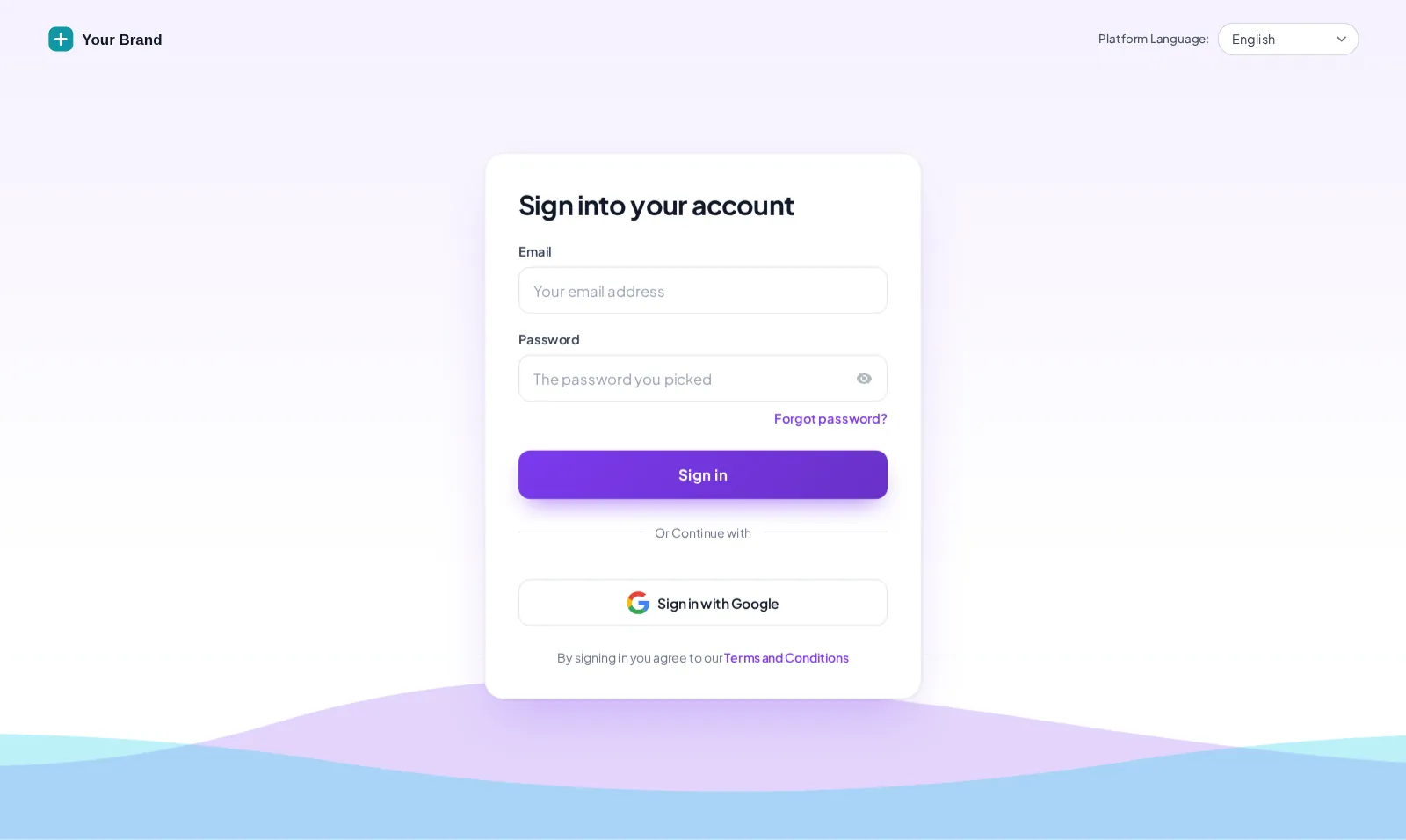
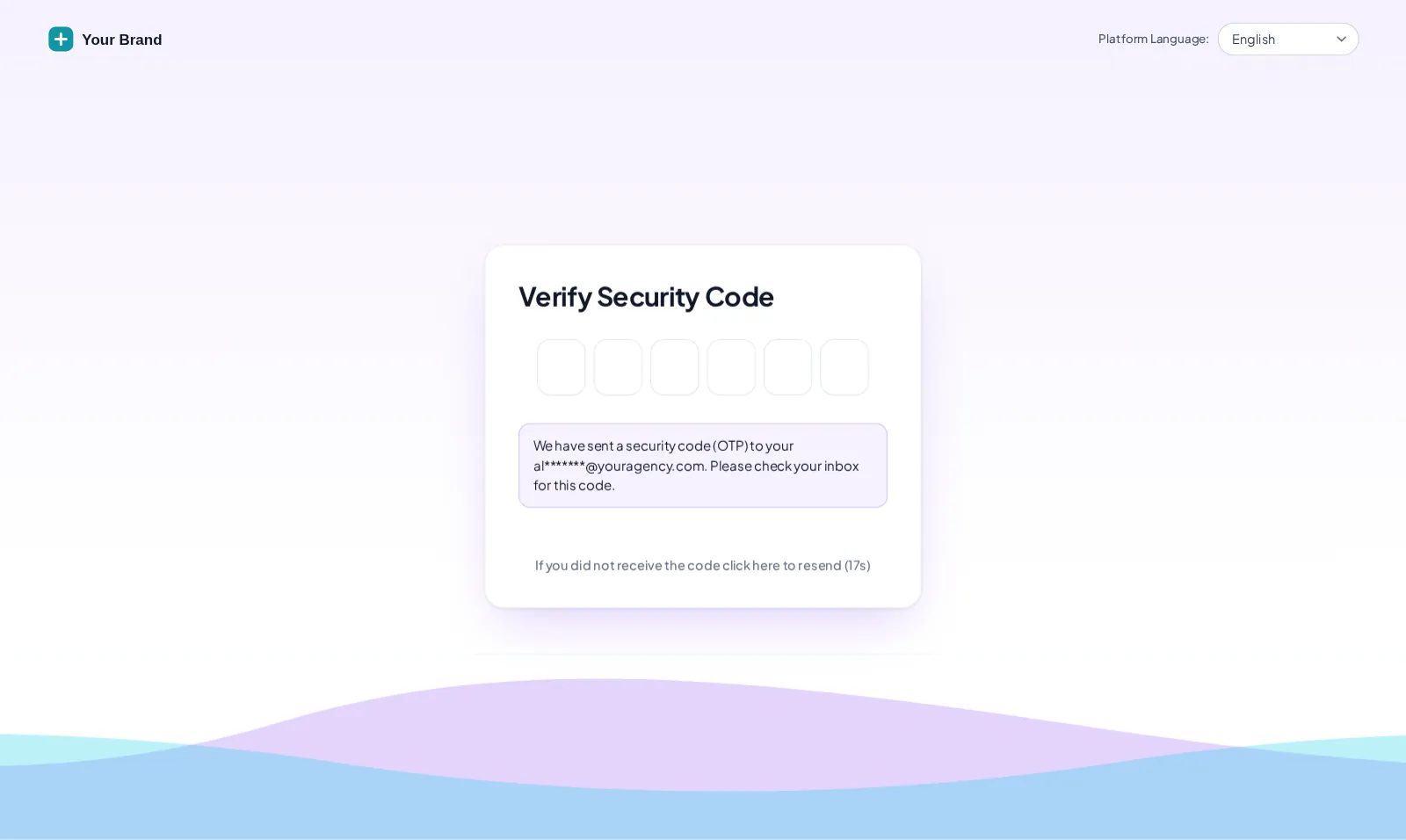
The preview loads a copy of the actual GoHighLevel login page and applies the same CSS your account would receive. It opens on Ocean waves in a lilac brand colour. Switch to the two-factor or reset screen to see the set hold together, or use the phone toggle to check it the way most clients will first see it.
Loading the live preview…
Ocean waves the same CSS GoHighLevel receives, applied to a copy of the real login markup. Switch screens for two-factor and password reset.
Most login restyles stop at the sign-in card. Then a client enables two-factor authentication, or forgets a password the night before a group call, and lands on a screen that looks like a different product. Every one of the designs covers the full set, so security steps feel like part of your programme rather than an interruption.
Because the design is CSS on top of GoHighLevel's own form, nothing about how two-factor codes or resets work is changed. Only the way they look.
There is no single right design. These pairings are a good place to start, and why.
Lighter designs with gentle motion, like Ocean waves, set a calm tone for clients who arrive anxious about change. A short line of reassurance under the headline does more than any graphic.
Senior clients expect the polish of a consultancy. Editorial and split layouts with strong type and plenty of space read as serious without trying too hard.
A dark design with a single bright accent makes the portal feel like a room people earned their way into, which suits an application-gated mastermind.
When dozens of participants sign in during launch week, a branded entrance answers the "am I in the right place?" question before it reaches your inbox. More on group coaching.
Set once at agency level, the design greets every coach you host. Pair it with the reseller licence if you also sell the coaching snapshot under your brand.
VAs and setters who juggle several client accounts sign in faster when each brand looks distinct. Fewer "wrong account" mistakes on a busy Monday.
You need a logo file, a brand colour and a few minutes in the live editor. The technical part is one line in Custom CSS, pasted once, in about 2 minutes. The same account runs the rest of your GHL Branding Customizer design.
Every package includes all 16 login designs; Clarity is the smallest. Pay once by card through Stripe.
Your customizer account login arrives by email within minutes (max 24 hours). Sign in at the editor and set your own password.
Pick a login design, add your logo, brand colour and headline, and check the sign-in, two-factor and password reset screens in the live preview.
Copy the CSS import line into Agency Settings → Company → White Label → Custom CSS. It takes about 2 minutes, and every change you save afterwards goes live on its own.
Clarity, Momentum and Mastery all include a designed login page. The difference is how much of the rest of GoHighLevel you can redesign around it. Full detail on the pricing page.
Stage 1
$247one-time
Brand the whole app and the login page yourself: every theme, UI kit, dark mode and all 16 login designs.
Includes the login page design
Best for: Solo coaches and new practices who want a branded app and login page.
Stage 2
$547one-time
Clarity plus the daily workspace: mega and floating menus, dashboard and pipeline designers, and the contact actions bar.
Includes the login page design
Best for: Group programmes, masterminds and agencies who hand GoHighLevel to coaching clients.
Stage 3
$1,047one-time
Everything: popups, social proof, calculators and floating widgets on top of Momentum, plus white-label branding of the editor.
Includes the login page design
Best for: High-ticket programmes, mastermind operators and coaching agencies selling a branded platform.
One-time prices in USD, lifetime access, no monthly fee. Compare every module, stage by stage
What coaches and agencies ask before branding their GoHighLevel sign-in.
Yes, through the Custom CSS field in your agency White Label settings. GoHighLevel loads that CSS on the login page, so a designed stylesheet can restyle the background, card, logo area, fields and buttons. The customizer gives you that stylesheet as one import line that you paste once.
Because GoHighLevel does not run Custom JS until someone has signed in. Custom CSS does load on the login screen, so every login design comes as a single CSS import. Once pasted, later changes to the design go live without touching GoHighLevel again.
Yes. Every design covers three screens: sign-in, the two-factor code screen and password reset. A client who forgets their password should not suddenly land on a stock GoHighLevel page halfway through your onboarding.
It depends on how the programme feels. Calm, lighter designs (such as Ocean waves, shown on this page) suit life, wellness and career coaching; editorial and split layouts suit executive and leadership work; dark, cinematic designs suit high-ticket masterminds. You can try all 16 in the live preview above.
It looks best on one. The design works on whatever login URL your agency uses, but a white-label domain such as portal.yourbrand.com means clients never see a GoHighLevel address in the browser bar. GoHighLevel’s own help docs cover setting one up, and our support can point you the right way.
Designs with an image or quote panel can carry your own photo and short lines of text, such as your programme promise. Use real words from real clients, with permission; invented testimonials do more harm than an empty panel.
No. The form fields and buttons are the stock GoHighLevel ones, restyled. Nothing about how sign-in, two-factor or single sign-on works is changed, and removing the import line brings the stock look straight back.
Every package does: Clarity, Momentum and Mastery. Clarity ($247) is the smallest, and it also includes every theme, UI kit and dark mode. One-time payment, lifetime access, no monthly fee.
Usually under half an hour. Your login arrives within minutes (max 24 hours), choosing and branding a design takes a few minutes in the live editor, and pasting the CSS line into GoHighLevel takes about 2 minutes. You can change the design again any time.
Yes, if they sign in through your white-label domain. The login page is set at agency level, so every coach you host sees the same branded entrance. That is usually what an agency wants: one recognisable front door for the whole platform.
GoHighLevel and HighLevel are trademarks of HighLevel, Inc. GHL Business Coaching Snapshot is an independent product team and is not affiliated with or endorsed by HighLevel, Inc. The customizer platform is run by GHL Customer Care.
Manage how we use cookies. Necessary cookies keep the site working and can't be turned off.
Saved on this device. Press Esc to close.